YouTube comment exporter
Export the comments on any YouTube video or Short, with replies, likes and dates, to a CSV that opens in Excel or Google Sheets. Comment Downloader also pulls the video's transcript.
Add to Chrome, freeCollecting and CSV export are free. 5 AI reports a month on the free plan.
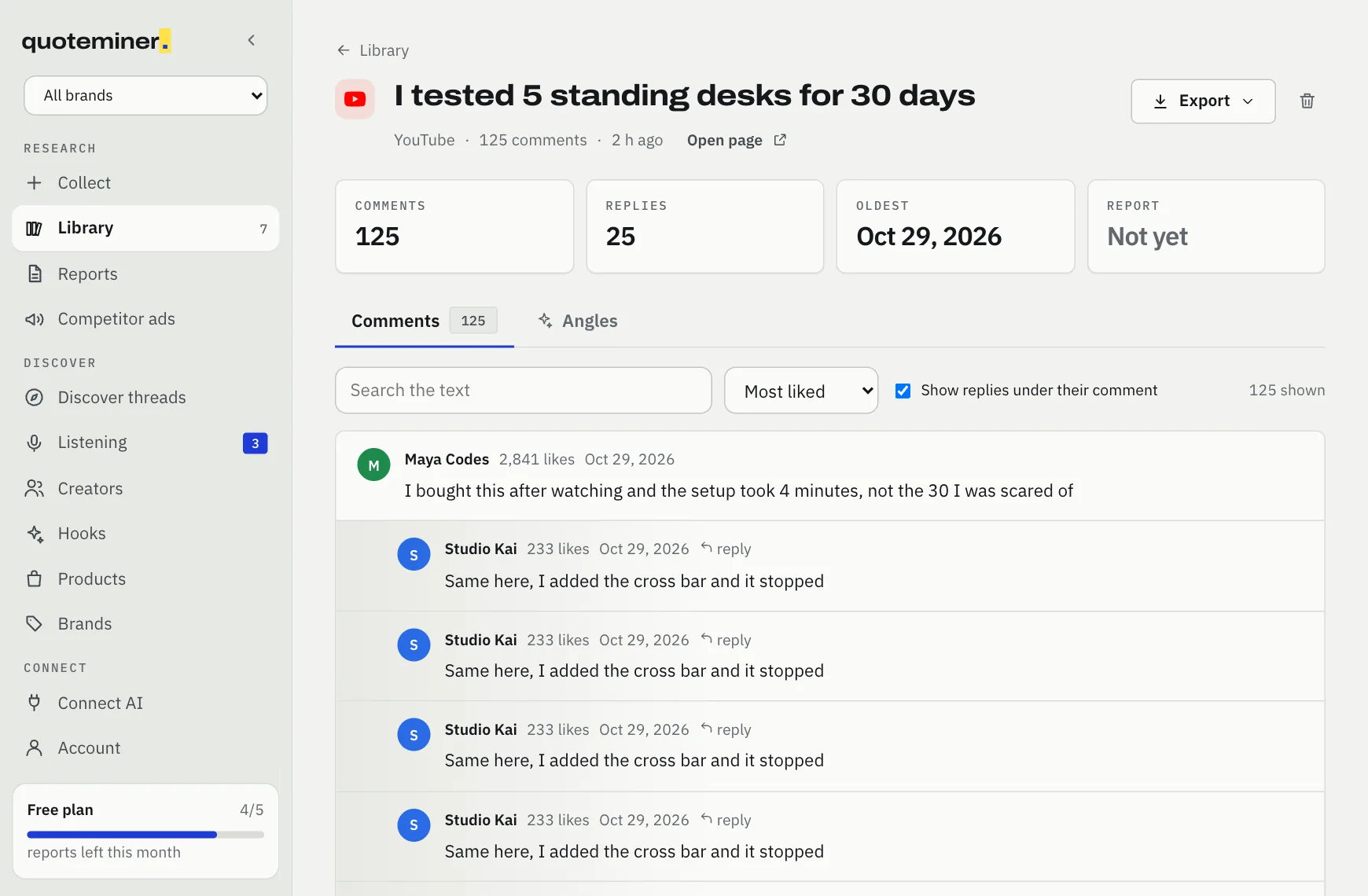
What it exports
- Top-level comments, up to 5,000 per run
- Replies for the 30 most active threads, following "show more replies"
- Likes, author and date (YouTube's own "2 years ago" is turned into an approximate date)
- The video transcript, in timestamped passages, as a separate tool
Honest limits
- Works signed out. No YouTube API key or quota.
- YouTube shows dates and numbers in your browser's language; likes are read correctly in any language.
- Very large videos are capped at 5,000 comments per run.
How it works
- Copy a YouTube video or Shorts link.
- Paste it into Comment Downloader and press Collect.
- Export to CSV for Excel, or press Find angles.
CSV columns
Also available as JSON, Markdown, or a compact "Copy for AI" block to paste into ChatGPT or Claude.
| Column | What it holds |
|---|---|
author | Name shown on the comment |
posted | Date and time, ISO format |
likes | Likes or upvotes when the site shows them |
is_reply | yes for a reply, no for a top-level comment |
comment | The full text |
link | Link back to the comment or page |
More than an export: the angle report
Exporters stop at the spreadsheet. Comment Downloader reads the collection for you and writes a report where every line cites the comments that prove it.
Pains, desires, objections, ad angles, hooks, audience profiles and short UGC-style ad scripts, in your market's language. Example: "the straps dig into my armpits" becomes the objection behind an ad angle, with the quotes linked.
Or ask Claude or ChatGPT
Add Comment Downloader as a connector and ask in plain words, for example "collect the comments on this page and give me 5 ad angles". Your assistant asks your Comment Downloader extension to collect, in your own Chrome.
https://app.commentdownloader.com/mcpFree, with Google sign-in. Connect steps for each assistant
Questions
Is there a limit on free exports?
Collecting and exporting are free. Each run reads up to 5,000 comments.
Can I open the file in Excel?
Yes. The CSV is UTF-8 with a byte order mark, so Excel shows every language correctly.
Does it need a YouTube API key?
No.
Can it get the transcript?
Yes, the transcript tool returns timestamped passages.